
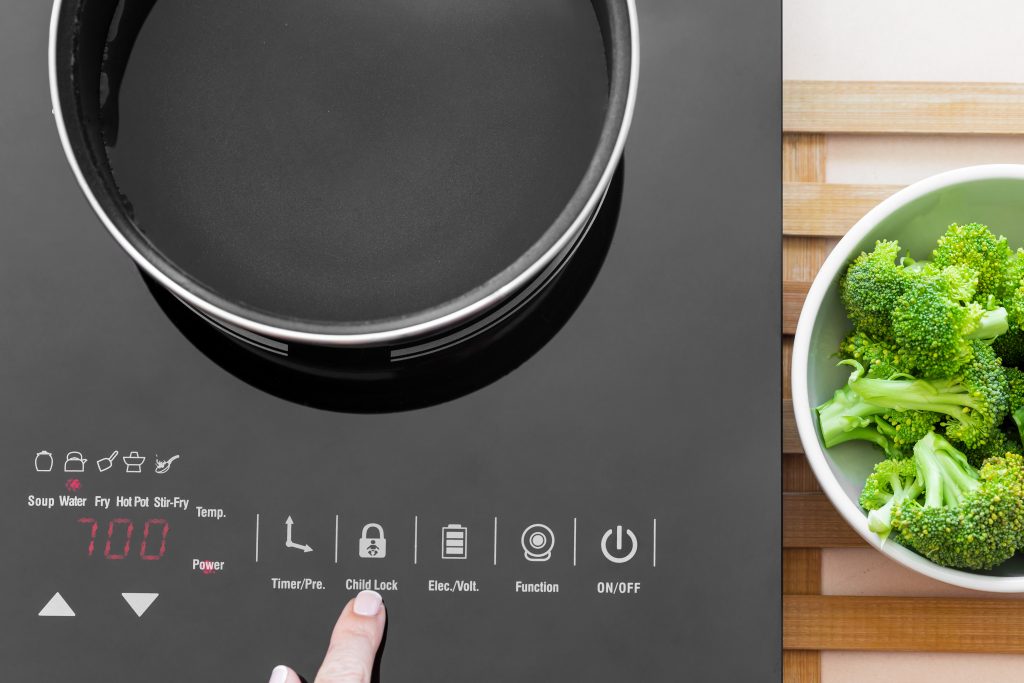
If you are dealing with a cooktop control lockup right after wiping the surface, you are not alone. Therefore, JAY Appliance Repair often sees this issue in Edmonton kitchens where cleaners, steam, and moisture meet sensitive touch controls.
A cooktop can look perfectly clean, but the control panel might suddenly stop responding or start beeping. Consequently, the cooktop may act like it is stuck in lock mode even when you did not turn the lock on.
What “locks up” usually means on modern cooktops
Cooktop controls can freeze for a few different reasons, and the symptoms can look similar. For example, the display may flash, the keys may not respond, or the cooktop may beep every few seconds.
In many models, the panel reads constant moisture as a “pressed” button. As a result, the cooktop tries to protect itself by disabling input, or it may trigger a lock feature until the panel becomes stable again.
The difference between Control Lock and a frozen keypad
Control Lock is a normal feature designed to prevent accidental use, especially around kids. However, a frozen keypad happens when the control board keeps sensing input that is not really there.
To clarify, both problems can stop cooking, but the fix depends on what caused the signal. Therefore, it helps to identify what happened right before the lockup started.
Common causes after cleaning
Moisture under the touch panel or bezel
If you used a wet cloth, spray cleaner directly on the panel, or cleaned with lots of steam, moisture can seep into the edges. Consequently, the panel can misread touch points and stop responding.
This happens more often when the cooktop is still warm. In other words, heat can pull moisture into tiny gaps around the glass and trim.
Cleaner residue leaving a conductive film
Some kitchen sprays leave a slick film behind, and that film can affect capacitive touch sensors. Therefore, the panel may behave like a finger is resting on the button even when the surface looks dry.
This is especially common with heavy degreasers or products not meant for glass cooktops. For instance, a “multi surface” spray can be too concentrated for touch controls.
A real lock was turned on by accident
Many cooktops enable lock mode with a 3 to 5 second press on a specific button. Meanwhile, a cloth moving across the panel can hold that spot long enough to activate it.
If the display shows “LOC” or a lock icon, this is likely the case. However, if the display is blank or glitchy, it can be something deeper than the lock feature.
Safe steps to try right away
Firstly, stop pressing random buttons because rapid tapping can confuse the panel further. After that, follow a simple reset approach that avoids damage.
Step 1: Dry the panel correctly
Use a dry microfiber cloth and gently wipe the entire control area, including edges. Moreover, aim a fan toward the cooktop for 10 to 20 minutes to speed up drying.
If you suspect moisture got under the glass, allow more time. Consequently, the controls may come back once the sensors stop detecting a false touch.
Step 2: Power cycle the cooktop
Turn the breaker off for about 1 to 2 minutes, then turn it back on. Therefore, the control board fully reboots and clears many temporary faults.
If the cooktop is plugged into a receptacle, you can unplug it briefly instead. However, breaker reset is often more reliable for built in units.
Step 3: Try the correct lock disable method
Check the lock symbol or “LOC” indicator and press the lock key for the required time. To clarify, some units require you to press and hold “Control Lock,” while others use “Timer” plus another key.
If the lock icon disappears but the panel still does not respond, the issue may be moisture, residue, or a failing touch board. Therefore, the next step is inspection and testing.
What to avoid so you do not make it worse
Do not spray cleaner directly onto the control panel. Instead, spray on the cloth first, because overspray can run into the keypad area.
Also avoid abrasive pads or powdered cleaners. Consequently, scratches on the glass can trap residue and cause repeated sensor issues over time.
Finally, do not keep flipping the breaker on and off repeatedly. In the same vein, repeated power cycling can sometimes stress electronics without solving the root cause.
When it is time to call JAY Appliance Repair
If the cooktop control lockup returns every time you clean, something is not sealing, draining, or sensing correctly. Therefore, JAY Appliance Repair can check for moisture intrusion, damaged gaskets, cracked overlay areas, or failing touch components.
If you need help with a touch panel that keeps freezing, start with our cooktop repair Edmonton service page. Moreover, if the issue is on a range style unit with shared controls, our stove repair Edmonton team can help.
Sometimes a “locked” control complaint is actually connected to power quality or heat stress from nearby appliances. For example, a dryer venting heat into a tight laundry kitchen space can raise cabinet temperatures. Consequently, it can contribute to control glitches, so our dryer repair Edmonton service can be part of the bigger picture.
Likewise, if you are seeing odd behavior on multiple kitchen appliances after heavy cleaning or a spill, it can be helpful to review service options across the site. In addition, you can find scheduling details on our main appliance repair in Edmonton page.
How to prevent control lockups after cleaning
Use the right amount of moisture
Use a lightly damp cloth, not a wet one. Therefore, you reduce the chance of water moving into edges and seams.
Pick a cleaner made for glass cooktops
A proper cooktop cleaner cuts grease without leaving a heavy film. Consequently, touch sensors stay accurate and responsive.
Let the surface cool before wiping
Heat plus moisture is a common trigger for cooktop control lockup events. After that, you can do a quick dry buff to remove any remaining haze.
Keep spills away from the control edge
Wipe spills promptly, especially sugary syrups and salty liquids. Most importantly, do not let liquid pool near the keypad because it can seep in and cause recurring issues.
If you also notice strange control behavior on other appliances, such as buttons acting on their own after wiping, it may point to moisture habits or product choice. For instance, a similar pattern can show up with certain dishwashers, so our dishwasher repair Edmonton team can help when control panels misbehave after cleaning.
FAQs
Why does my cooktop start beeping right after I clean it?
Usually the panel senses moisture or residue as a constant touch. Therefore, it beeps to warn of stuck keys and may disable input until the surface dries and the signal becomes stable.
How long should I wait before the controls work again?
Many cooktops recover in 10 to 30 minutes once fully dry. However, if moisture got under the edge, it can take longer, so a fan and a careful wipe often helps.
Does flipping the breaker fix a cooktop control lockup?
A breaker reset can clear temporary faults and reboot the control board. Consequently, it often works when the lockup is caused by a software glitch, but it will not fix failing touch hardware.
Can the wrong cleaner cause the panel to freeze?
Yes, some sprays leave a film that interferes with touch sensors. In other words, the cooktop may think a button is being pressed even when you are not touching it.
When should I book a service call?
If the cooktop control lockup keeps returning, the display glitches, or the lock will not clear after drying and a reset, it is time to call JAY Appliance Repair to test the keypad and control components safely.